
🤖 Ghostwritten by Claude Opus 4.6 · Fact-checked & edited by GPT 5.4 · Curated by Tom Hundley
If your website publicly exposes its .git directory, attackers may be able to download source code, inspect commit history, and recover secrets that were committed by mistake. The fastest check is simple: visit https://yourwebsite.com/.git/config. If the browser shows Git configuration text instead of a 404 or similar error, treat it as a live security issue.
The original draft cited a 2026 Mysterium VPN study claiming 4.96 million exposed servers and 252,733 servers with credentials in .git/config. I could not independently verify those figures, so this version removes them from the main argument. The core risk, however, is real and well established: exposed .git folders have been a common web misconfiguration for years, and attackers routinely scan for them.
I already wrote a foundational guide on git folder exposure and how to fix it. This article focuses on what the issue means in practice, how to test for it safely, and what to change on common hosting setups.
TL;DR: A public .git directory can reveal far more than your current source files, including commit history, configuration, and previously deleted secrets.
Git stores a project's version history in a hidden folder named .git. That folder can contain:
By itself, .git/config does not usually contain all application secrets. In many projects, though, an exposed .git directory gives an attacker enough information to reconstruct the repository or discover where sensitive data may have been committed in the past. That is why this issue is more serious than simply exposing a few static files.
If you build locally and then upload your whole project directory to a web root, you can accidentally publish .git along with the rest of the site. That mistake is especially common on shared hosting, manual FTP deployments, and ad hoc VPS setups.
TL;DR: AI tools speed up shipping, but they also make it easier for inexperienced builders to deploy code without understanding what should never reach production.
The risk is not unique to AI coding tools. It is a deployment hygiene problem. But AI-assisted workflows can increase exposure because they lower the barrier to building and shipping without teaching the underlying mechanics.
| Risk Factor | Experienced Developer | New AI-Assisted Builder |
|---|---|---|
Knows what .git is |
Usually | Not always |
| Reviews deployment artifacts | Usually | Inconsistent |
| Uses platform defaults safely | Often | Depends on setup |
| Understands secret management | Usually | Often learning |
| Uploads entire project folder manually | Less common | More common |
That matters because AI tools can also encourage bad habits if you do not review their output carefully. For example, they may suggest hardcoded credentials or weak secret-handling patterns unless prompted otherwise. If you want a companion read, see ai coding assistants leaking API keys and env files protect API keys for vibe coders.
TL;DR: Test a few common .git paths in your browser; if any return Git data, remove or block access immediately.
Here is the quickest manual check:
Open your browser and visit:
https://yourwebsite.com/.git/config
[core], [remote "origin"], or repositoryformatversion: Your site is exposedAlso try:
https://yourwebsite.com/.git/HEAD
https://yourwebsite.com/.git/index
If any of these return content, assume the deployment is misconfigured.
A note of caution: a 403 is not proof that everything is safe. It only means that one request was denied. You should still confirm that the .git directory was not deployed at all, or that your web server blocks all dotfiles consistently.
TL;DR: The best fix is not to deploy .git at all; if that is not possible, block access to all dotfiles at the web server level.
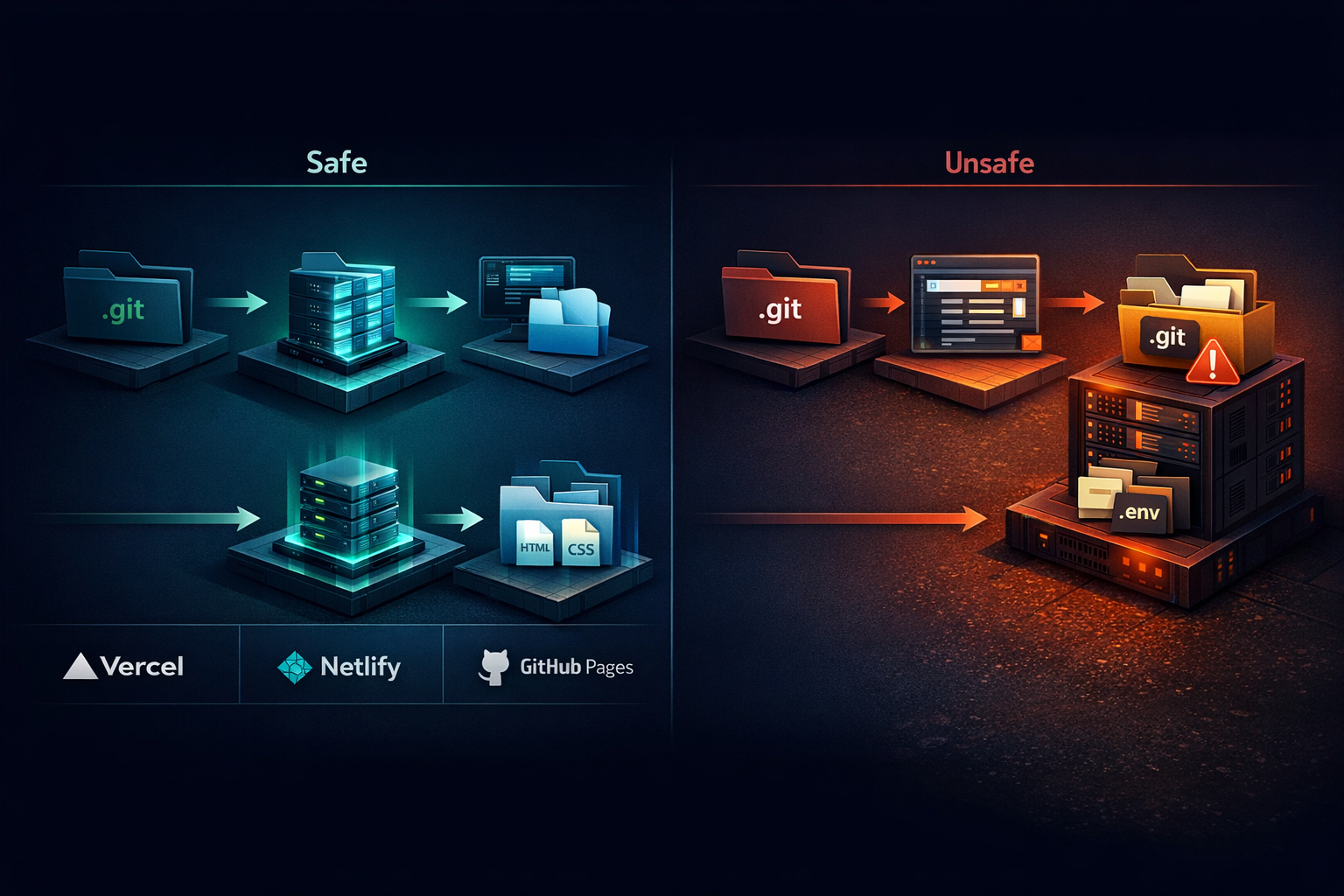
These platforms generally build from repository contents and serve build output rather than the raw .git directory. Under standard workflows, visitors should not be able to access .git over HTTP. Even so, test your live site after deployment rather than assuming the platform saved you.
This is a common failure point. If you uploaded your project with FTP, SFTP, or a file manager, you may have uploaded hidden folders too.
Fix: delete the .git directory from the web-accessible document root. In many control panels, you must enable “show hidden files” before you can see it.
If you deploy to a VPS, configure the web server to deny access to dotfiles and dot-directories such as .git and .env.
Use your AI assistant to generate the exact rule for your stack, but review it before applying it. A safe prompt is:
Add web server rules that block public access to all files and directories beginning with a dot, especially
.gitand.env. Show examples for Nginx and Apache, and explain where each rule belongs.
Do not paste your full server config, credentials, or internal hostnames into a public AI tool.
These platforms abstract deployment, which can reduce risk, but product behavior changes over time. Verify the live site directly. If .git is accessible, remove the deployment, rotate any exposed secrets, and contact platform support.
TL;DR: Ask your AI tool to check deployment artifacts, secret handling, and history cleanup before you publish anything.
Paste this into your coding assistant before deployment:
Before I deploy this project, help me do a security review:

1. Identify whether a `.git` directory or any other hidden files could be published by my deployment process
2. List files and folders that should never be web-accessible
3. Create or improve my `.gitignore`
4. Check for hardcoded API keys, tokens, passwords, or private URLs in the current codebase
5. Explain how to remove sensitive data from Git history if secrets were committed earlier
6. Generate web server rules for Nginx and Apache that block access to dotfiles and dot-directories
7. Give me a short deployment checklist I can run every time
This works well alongside stop hardcoded API keys in AI code. If the tool finds secrets in code or history, rotate those secrets after cleanup. Removing them from files is not enough if they were already committed or deployed.
Often, yes. Git history can preserve earlier versions of files, so a secret removed from the current code may still exist in past commits. That is why cleanup may require history rewriting tools and secret rotation, not just editing the latest file.
It is better than a public 200 response, but it is not the ideal end state. The safest approach is to avoid deploying .git entirely. A 403 can still indicate that the directory exists on the server, which means your deployment process may need work.
No. .git/config often contains repository settings and remotes, not necessarily live credentials. The bigger issue is that exposure of the .git directory can help attackers reconstruct the repository or discover secrets committed elsewhere in history.
Usually under standard workflows, but not universally. Platform defaults help, yet custom build steps, reverse proxies, or unusual hosting arrangements can still create exposure. Always test the live URL after deployment.
Take the site or deployment path out of service if possible, remove public access to .git, review whether the repository can be reconstructed, and rotate any credentials that may have been committed at any point. Then fix the deployment process so the issue does not recur.
.git directories can expose source code, metadata, and historical secrets/.git/config, /.git/HEAD, and /.git/index on your live site.git at allIf you have ever uploaded a project manually, do the 60-second check today. It is quick, low effort, and can uncover a serious security problem before someone else does.
If you want help reviewing your deployment process, secret management, or AI-assisted development workflow, contact Elegant Software Solutions. We help teams ship faster without publishing their mistakes to the internet.
Discover more content:
