 Tom Hundley
Claude Code started as a terminal tool, but it's evolved into a full development platform. With IDE integrations, CI/CD automation, and enterprise controls, organizations can deploy Claude Code across teams while maintaining security and consistency.
This final part of our series covers the infrastructure for scaling Claude Code from individual use to organization-wide adoption.
The Claude Code VS Code extension brings terminal capabilities into your editor.
Installation:
Features:
Key Shortcuts:
| Action | Shortcut |
|---|---|
| Open Claude panel | Cmd+Shift+P → "Claude" |
| Send selection to Claude | Cmd+L |
| Apply inline suggestion | Tab |
| Toggle plan mode | Shift+Tab |
Settings:
Configure in VS Code settings (settings.json):
{
  "claude-code.defaultModel": "claude-sonnet-4-5-20250929",
  "claude-code.autoApproveEdits": false,
  "claude-code.terminalIntegration": true
}Claude Code supports the JetBrains family: IntelliJ IDEA, PyCharm, WebStorm, and others.
Installation:
Features:
Configuration:
Access via Settings → Tools → Claude Code:
While IDE integrations are convenient, Claude Code's power comes from terminal access. The IDE extensions are essentially embedded terminals with enhanced context.
For complex tasks, the full terminal experience often provides better results:
# Full terminal gives more control
claude --model opus --verbose
Use IDE integration for quick interactions; use terminal for deep work.
Organizations can enforce policies through managed settings that users cannot override.
File Locations:
/Library/Application Support/ClaudeCode/managed-settings.json/etc/claude-code/managed-settings.jsonC:\ProgramData\ClaudeCode\managed-settings.jsonExample Managed Settings:
{
  "model": "claude-sonnet-4-5-20250929",
  "permissions": {
    "deny": [
      "Bash(rm -rf:*)",
      "Bash(sudo:*)",
      "Write(.env:*)"
    ]
  },
  "sandbox": {
    "enabled": true
  },
  "telemetry": {
    "enabled": true,
    "destination": "https://internal-analytics.company.com/claude"
  }
}
Users cannot disable sandboxing or bypass denied permissions when managed settings enforce them.
For cloud-managed configuration, use the Claude.ai admin console:
Understanding precedence is essential for enterprise deployment:
.claude/settings.local.json) — Personal project settings.claude/settings.json) — Team settings~/.claude/settings.json) — Personal defaultsEnterprises can control which MCP servers are allowed:
{
  "allowedMcpServers": [
    { "serverName": "github" },
    { "serverName": "jira" },
    { "serverName": "internal-api" }
  ],
  "deniedMcpServers": [
    { "serverName": "*" }
  ]
}
The combination of allowlist and denylist ensures only approved integrations are available.
Claude Code runs in non-interactive environments using the -p flag:
claude -p "Review the changes in this PR and summarize potential issues"For programmatic access:
claude -p "Analyze this code for security vulnerabilities" \
--output-format stream-jsonname: Claude Code Review
on:
pull_request:
types: [opened, synchronize]
jobs:
review:
runs-on: ubuntu-latest
steps:
- uses: actions/checkout@v4
with:
fetch-depth: 0
- name: Install Claude Code
run: npm install -g @anthropic-ai/claude-code
- name: Review PR
env:
ANTHROPIC_API_KEY: ${{ secrets.ANTHROPIC_API_KEY }}
run: |
DIFF=$(git diff origin/main...HEAD)
claude -p "Review these changes and provide feedback: $DIFF" \
--output-format json > review.json
- name: Post Review Comment
uses: actions/github-script@v7
with:
script: |
const review = require('./review.json');
github.rest.issues.createComment({
owner: context.repo.owner,
repo: context.repo.repo,
issue_number: context.issue.number,
body: review.content
});Use Claude Code in git pre-commit hooks:
#!/bin/bash
# .git/hooks/pre-commit

# Get staged files
STAGED=$(git diff --cached --name-only)

# Have Claude review for common issues
claude -p "Review these staged files for obvious issues: $STAGED" \
  --output-format json | jq -e '.issues | length == 0'

if [ $? -ne 0 ]; then
  echo "Claude found potential issues. Review output above."
  exit 1
fiAutomatically categorize and respond to GitHub issues:
#!/bin/bash
# scripts/triage-issue.sh

ISSUE_BODY=$(gh issue view $1 --json body -q .body)

claude -p "Categorize this issue and suggest initial steps:

$ISSUE_BODY

Categories: bug, feature-request, documentation, question
Provide: category, priority (high/medium/low), suggested-assignee, initial-response" \
--output-format jsonFor parallel development with Claude Code, git worktrees provide isolated environments:
# Create worktrees for different tasks
git worktree add ../project-feature-a feature/user-auth
git worktree add ../project-feature-b feature/api-v2
git worktree add ../project-bugfix bugfix/memory-leak

# Run Claude in each
cd ../project-feature-a && claude
# Separate terminal:
cd ../project-feature-b && claude
Benefits:
Check project commands into git for team consistency:
.claude/
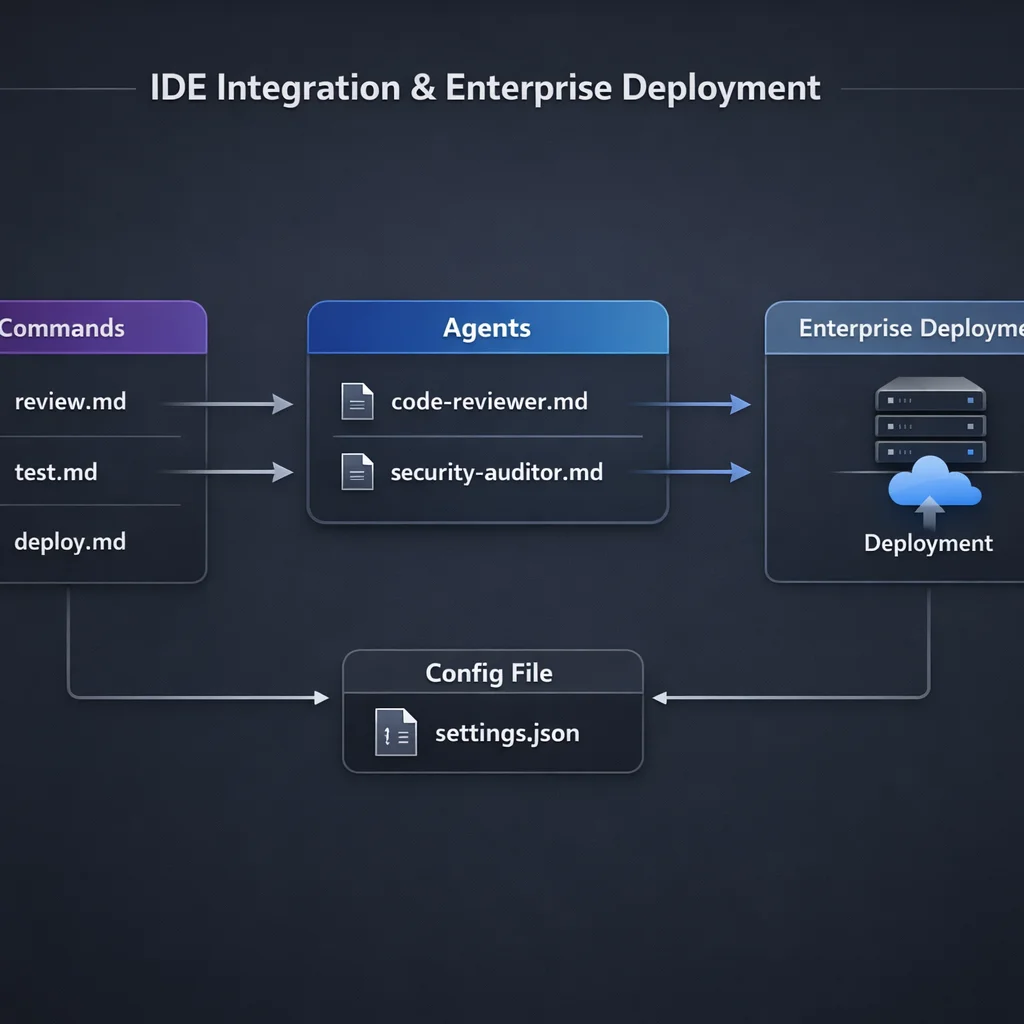New team members get all customizations automatically.
Establish team standards in CLAUDE.md:
# Team Development Standards

## Required Before Committing
- Run `npm run lint`
- Run `npm run test`
- No TypeScript errors

## Code Review Checklist
- Security implications considered
- Tests added for new code
- Documentation updated

## Branch Naming
- feature/description
- bugfix/description
- hotfix/description

## Commit Messages
Follow Conventional Commits:
- feat: new feature
- fix: bug fix
- docs: documentation
- refactor: code changeDocument Claude Code setup in your onboarding:
## Claude Code Setup

1. Install: `npm install -g @anthropic-ai/claude-code`
2. Configure API key: `claude config set apiKey <your-key>`
3. Verify setup: `claude --version`
4. Run in project: `cd project && claude`
5. Initialize project context: `/init`

The project includes team commands in `.claude/commands/`.
See `/help` for available commands.Enable filesystem and network isolation:
{
  "sandbox": {
    "enabled": true,
    "excludedCommands": ["git", "npm", "node"]
  }
}
Excluded commands run outside the sandbox for essential operations.
Layer permissions for defense in depth:
{
  "permissions": {
    "allow": [
      "Read(*)",
      "Glob(*)",
      "Grep(*)",
      "Bash(npm:*)",
      "Bash(git:*)"
    ],
    "ask": [
      "Write(*)",
      "Edit(*)",
      "Bash(curl:*)"
    ],
    "deny": [
      "Bash(rm -rf:*)",
      "Bash(sudo:*)",
      "Write(.env:*)",
      "Write(**/secrets/*)"
    ]
  }
}Never store credentials in CLAUDE.md or settings. Use:
Enable logging for compliance:
{
  "logging": {
    "enabled": true,
    "path": "/var/log/claude-code/",
    "include": ["tool_use", "commands", "errors"]
  }
}
Hook into your SIEM for centralized monitoring.
Development:
~/.claude/Staging:
.claude/settings.jsonProduction (CI/CD):
For large organizations:
Over seven parts, we've covered the complete Claude Code ecosystem:
Claude Code isn't just a coding assistant—it's a platform for AI-augmented development. The organizations that master these patterns will ship faster, with higher quality, and with less friction.
The tools are here. The patterns are documented. The only remaining step is implementation.
This completes the Claude Code Mastery series. For questions or feedback, reach out to the Elegant Software Solutions team.
Discover more content:
